A modern e-learning app needs much more than a course catalogue, a video player, and a few multiple-choice quizzes. E-Learning App Development today focuses on creating connected learning experiences that support learners, educators, and administrators throughout the learning journey.
Learners now expect the platform to understand where they are struggling, recommend what they should study next, let them move between live and recorded classes, preserve their progress across devices, work under unreliable internet conditions, and provide credible proof of what they have learned.
Educators and administrators expect even more. They need assessment analytics, intervention alerts, attendance reports, reusable learning plans, secure credentials, moderation tools and enough data to understand whether learners are actually developing competence.
That means the strongest e-learning products are no longer simple course players. They operate as connected learning systems in which personalization, instruction, assessments, analytics, credentials and learner engagement continuously inform one another.
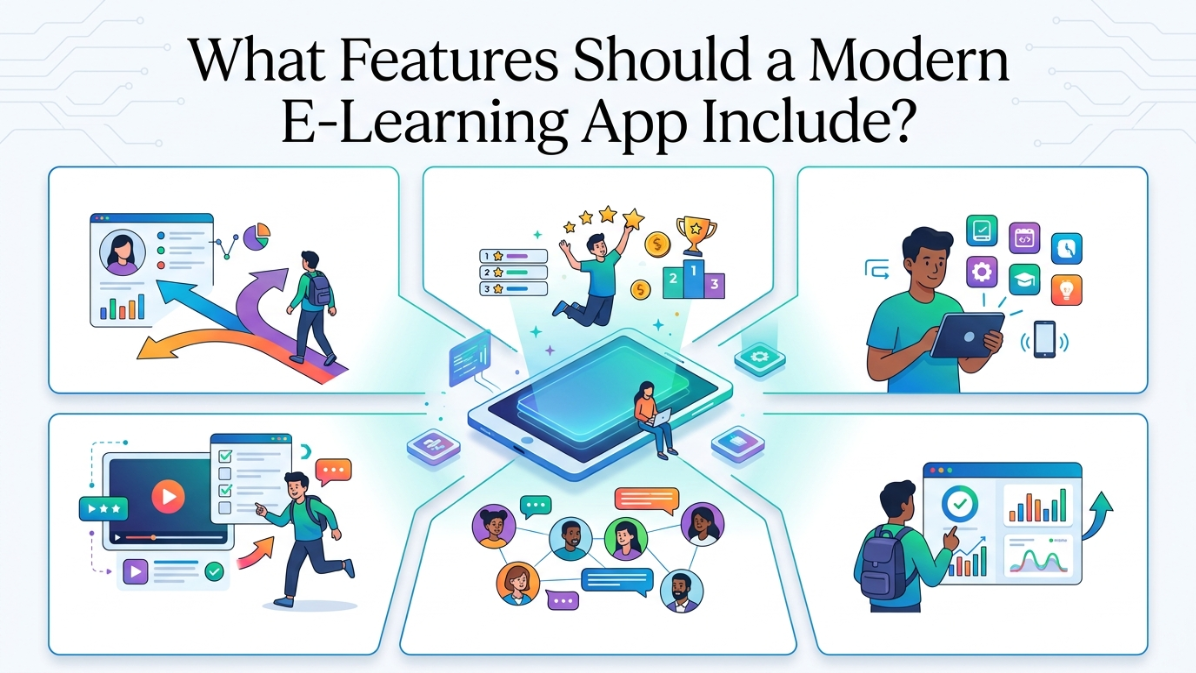
At a minimum, a modern e-learning app should include:
- Adaptive learning paths
- Structured course and content management
- Live, recorded and hybrid learning
- A capable assessment and quiz engine
- Progress and competency tracking
- Certificates and verifiable digital badges
- Carefully designed gamification
- Offline learning capabilities
- A mobile-first learner experience
- Instructor and administrator analytics
- Accessibility, privacy and moderation controls
- Standards-based integrations with other learning systems
The important point, however, is that these features cannot be planned separately.
Adaptive learning depends on assessment and interaction data. Credentials depend on progress and competency records. Live classes produce attendance and participation data that should update learner profiles. Offline learning changes how progress, notes, and quiz attempts must be stored. Gamification needs trustworthy activity data so that learners cannot earn rewards through meaningless or fraudulent actions.
Before looking at the individual features, it helps to understand how the entire system should fit together and why custom mobile app development can be important when building an e-learning platform around specific learning and business requirements.
Build an E-Learning System, Not a Collection of Features
A well-designed e-learning platform normally has at least three broad layers.
The first is the learner experience layer. This includes the web and mobile interfaces used by learners, instructors and administrators.
The second is the learning orchestration layer. It manages courses, adaptive pathways, assessments, live classes, certificates, badges, gamification, and integrations.
The third is the data and analytics layer. It records learner events, progress, quiz responses, attendance, recommendations, completion data, and other signals that support reporting and personalization.
A typical learner journey might look like this:
- The learner signs up or enters through single sign-on.
- They complete a diagnostic test or onboarding survey.
- The system recommends an initial learning path.
- The learner completes a study session.
- They take a quiz or practice activity.
- The system checks whether the mastery threshold has been reached.
- If not, it recommends a hint, review activity, or remediation lesson.
- If the threshold has been reached, the learner moves to the next module or live class.
- Attendance, participation, and assessment activity are recorded.
- The learner’s dashboard and future recommendations are updated.
The workflow diagram on page 3 of the research blueprint illustrates this loop clearly: assessment does not sit at the end of learning. It continuously decides whether a learner should progress, review a topic, or receive additional support.
Interoperability standards also matter from the beginning. Common standards include:
- LTI, for connecting learning tools with learning management systems
- QTI, for packaging and transferring assessment questions and tests
- Open Badges, for portable digital achievements
- CLR, for broader and more detailed learner records
- W3C Verifiable Credentials, for digitally verifiable certificates and credentials
Using these standards reduces dependence on one vendor and makes it easier to replace or connect parts of the system later.
Decide What to Build and What to Integrate
One of the most important product decisions is not which programming framework to use. It is deciding which capabilities should be built internally and which should come from existing services.
Live video, LMS functionality, credential issuance, gamification and assessment delivery can all be integrated through existing platforms. A completely custom build, meanwhile, introduces additional work around media infrastructure, recording, moderation, analytics, psychometrics, mobile synchronization, fraud prevention, accessibility and regulatory compliance.
For many organizations, the sensible approach is to begin integration-first.
That may mean combining:
- An LMS-compatible course and user-management layer
- A third-party or open-source assessment engine
- An embedded live-class provider
- A digital credentialing service
- A central analytics pipeline
- Rule-based learning recommendations
- Mobile applications with local storage and synchronization
Custom components can then be introduced where they create meaningful differentiation.
For example, a general video-conferencing function may not differentiate the product. A highly specialized adaptive learning model for a particular curriculum might.
The research blueprint estimates that engineering effort in a full custom build may be distributed approximately as follows:
|
Feature area |
Approximate share of engineering effort |
|
Live and hybrid delivery |
28% |
|
Assessment and quiz engine |
22% |
|
Adaptive learning |
18% |
|
Offline access and mobile synchronization |
14% |
|
Progress tracking and credentials |
10% |
| Gamification |
8% |
These percentages are directional rather than universal, but they demonstrate why seemingly ordinary features such as assessments, video, and offline synchronization often require more work than stakeholders initially expect.
Adaptive Learning Paths: Personalizing Education With AI
Adaptive learning is often described as an AI feature, but it should not begin with an AI chatbot or an opaque recommendation algorithm.
It should begin with a simple question:
What should this learner do next, and why?
A good adaptive learning system uses assessment results, completed activities, learner goals, prerequisite relationships, and previous performance to recommend the most appropriate next step.
That next step could be:
- A new lesson
- A simpler explanation
- A more advanced exercise
- A review of an earlier topic
- A live support class
- A practice quiz
- A teacher intervention
- A scheduled revision session
Research into personalized adaptive learning generally reports promising academic outcomes, but the results remain context-dependent. The quality of the curriculum, subject matter, teacher involvement, learner population, and implementation all influence whether personalization works.
Some adaptive systems improve academic performance without clearly improving engagement. Highly individualized learning paths may also reduce peer interaction when every learner is constantly working on a different activity.
For that reason, adaptive learning should support teachers rather than attempt to remove them from the process.
Must-Have Adaptive Learning Features
A practical first version should include the following.
Diagnostic Onboarding
The learner should complete a short assessment, survey, or skills check when joining the platform.
This gives the system an initial understanding of:
- Existing knowledge
- Skill gaps
- Learning goals
- Preferred pace
- Relevant experience
- Accessibility requirements
- Available study time
Without this information, the platform has little basis for making an initial recommendation.
Prerequisite and Competency Mapping
Courses should not be treated as isolated lists of lessons.
The platform should know which concepts depend on others. For example, a learner may need to understand basic fractions before attempting algebraic fractions.
This is usually represented through a prerequisite or competency graph connecting:
- Courses
- Modules
- Lessons
- Skills
- Assessments
- Learning outcomes
Rule-Based Recommendations
Early adaptive systems should use transparent rules.
For example:
- If a learner scores below 60%, recommend the foundation lesson.
- If they score between 60% and 80%, recommend targeted practice.
- If they score above 80%, allow progression.
- If they fail the same skill three times, notify the instructor.
- If they remain inactive for seven days, recommend a shorter re-entry activity.
These rules are easy to inspect, test, and change with educators.
Mastery Thresholds
Progress should be tied to demonstrated mastery rather than simple content completion.
Watching an entire video does not prove that the learner understood it. A mastery threshold may therefore depend on:
- Assessment performance
- Repeated practice
- Instructor evaluation
- Project work
- Simulation results
- Practical evidence
- Confidence over multiple attempts
Spaced Review
The platform should periodically reintroduce material that the learner has already studied.
This supports long-term retention and helps the system identify whether the learner truly retained the skill or only passed a recent test.
Remediation Loops
When a learner struggles, the system should not simply show the same lesson again.
It can offer:
- A different explanation
- A worked example
- A shorter prerequisite lesson
- A visual demonstration
- A hint
- An instructor-led session
- Easier practice before returning to the original problem
Teacher Overrides
Educators should be able to:
- Change the recommended pathway
- Adjust mastery thresholds
- Assign or remove activities
- Freeze automatic progression
- Mark a recommendation as incorrect
- Add context that the algorithm cannot see
Recommendation Explanations
Learners should understand why an activity has been recommended.
Instead of saying:
Recommended for you
The platform could say:
We recommend reviewing this lesson because two of your last three quiz attempts showed difficulty with this concept.
This makes the system feel less arbitrary and gives learners a way to question or reject a recommendation.
Advanced Adaptive Learning Features
Once the platform has enough reliable data, it can add more sophisticated capabilities.
These may include:
- Machine-learning ranking of the next best activity
- Knowledge-tracing models
- Item Response Theory-based mastery estimates
- Contextual bandits that test alternative recommendations
- Cohort-aware pacing suggestions
- Generative hints
- AI tutoring
- Automated teacher-support tools
- Fairness monitoring across learner groups
A recommender system generally uses three types of data:
- Interactions, such as lesson views, quiz attempts, and completed activities
- Learner data, such as goals, level or role
- Content data, such as subject, difficulty, format, and prerequisites
Amazon Personalize provides one model for this type of architecture. Duolingo’s Birdbrain demonstrates how challenge outcomes can be used to estimate learner proficiency and choose future practice. Khan Academy’s Khanmigo represents a different use of AI, focusing on guided tutoring and teacher support.
Adaptive Learning Implementation Options
|
Approach |
Best suited to | Main strength | Main constraint |
|
Rules and mastery engine |
Early-stage or regulated learning systems | Explainable and easy for educators to adjust |
Limited personalization depth |
|
Recommender service |
Platforms with a large catalogue and reliable event data | Better content ranking and experimentation |
Requires disciplined data collection |
|
Knowledge tracing or IRT |
Skills-based curricula with repeated practice | More accurate estimation of mastery over time |
Requires calibrated content and modeling expertise |
| Generative tutor | Formative support and homework assistance | Natural-language explanations and richer support |
Hallucination, safety, privacy and governance risks |
Privacy and Trust in Adaptive Learning
Adaptive systems accumulate sensitive learner data over time.
A secure implementation should include:
- Data minimization
- Role-based access
- Audit logs
- Configurable retention periods
- Clear learner consent
- Separate treatment of operational data and model-training data
- Explanations for recommendations
- Procedures for challenging automated decisions
- Fairness reviews across learner groups
For educational institutions in the United States, FERPA requirements may apply to educational records and disclosures. Products aimed at or knowingly collecting data from children under 13 must also consider COPPA.
For younger learners, unrestricted learner conversations, written responses, or behavioural data should not be sent to third-party AI models without a clear institutional, legal, and parental-consent framework.
Adaptive Learning KPIs
Do not measure adaptive learning only through general engagement.
Useful measures include:
- Recommendation acceptance rate
- Mastery improvement following recommendations
- Completion improvement against a control group
- Time to mastery
- Remediation-loop exit rate
- Teacher override rate
- Learner-rated usefulness
- Ranking and recommendation accuracy
- Model calibration
- Fairness across learner groups
- AI hallucination review rate
- Unsafe-response rate
- Escalation-to-human rate
Where possible, the platform should compare adaptive and non-adaptive experiences through holdout groups or controlled experiments.
Estimated Adaptive Learning Development Cost
An integration-led adaptive MVP may cost approximately $80,000 to $220,000 and take 10 to 18 weeks.
That would generally include:
- A rules engine
- Event tracking
- Simple dashboards
- Diagnostic testing
- Mastery thresholds
- Basic recommendation explanations
A model-heavy custom system may cost $300,000 to $900,000 or more and take six to twelve months.
The largest risk is not necessarily the cost of the AI model. It is poor event data and an unclear educational model.
Gamification Elements That Keep Learners Engaged and Motivated
Gamification can help learners return, practise consistently, and complete more of a course.
It can also produce the opposite result.
A poorly designed leaderboard may discourage beginners. A streak may make learners feel punished for taking a day off. Points may encourage people to repeat low-value actions instead of learning. Fast-response scoring may disadvantage people who need more processing time or use accessibility tools.
The right question is not:
How can we make this app feel like a game?
It is:
Which behaviours should the product encourage, and which game mechanics support those behaviours?
Gamification works best when it reinforces:
- Mastery
- Consistency
- Improvement
- Collaboration
- Social belonging
- Meaningful accomplishment
Must-Have Gamification Features
Visible Progress
Learners should be able to see how close they are to completing a lesson, module, course, or learning plan.
Progress bars are simple, but they answer an important question: “How much is left?”
Meaningful Points or XP
Points should be awarded for learning-related actions such as:
- Completing a difficult lesson
- Improving an assessment score
- Demonstrating a competency
- Helping a peer
- Attending a live class
- Maintaining consistent practice
- Completing a project
Avoid giving large rewards for actions that have little learning value.
Milestone Badges
Badges should represent understandable accomplishments.
A badge called “Advanced Data Analysis” is more meaningful than one called “Superstar Level 4,” particularly when learners want to show achievements to employers.
Streaks
Streaks can encourage consistency, but they need humane rules.
Consider:
- Weekly goals rather than mandatory daily activity
- Streak freezes
- Grace days
- Recovery tasks
- Separate learning and login streaks
- Reminders before a streak expires
Challenges and Missions
Challenges can group several activities around one learning goal.
For example:
Complete three negotiation simulations, review one expert example, and score at least 75% in the final scenario.
Time-bound missions can add urgency, while team missions can create connection.
Team and Cohort Goals
Not every learner wants direct competition.
A group could work toward:
- Collective course completion
- Shared practice minutes
- A team assessment target
- A cohort project
- A community-learning milestone
Kahoot Missions demonstrates this collaborative model through shared goals and activity-based team progress.
Completion Nudges and Social Encouragement
Helpful nudges might include:
- “You have one activity left in this module.”
- “Three members of your cohort completed this challenge today.”
- “Your instructor left feedback on your assignment.”
- “You improved your score by 12%.”
Nice-to-Have Gamification Features
More advanced systems may include:
- Opt-in leaderboards
- Seasonal events
- Collectible themes
- Virtual stores
- Rewards
- Buddy systems
- Referrals
- Creator challenges
- Narrative journeys
- Leagues
- Branch or department competitions
These features can support retention, but they also introduce more design, moderation, and fraud-prevention work.
Gamification Approaches Compared
|
Approach |
Best suited to | Strengths | Trade-offs |
|
TalentLMS-style configuration |
Corporate training | Configurable points, levels, badges, leaderboards and rewards |
Limited consumer-style social depth |
|
Kahoot-style games and missions |
Team learning, onboarding and live activities | Familiar experience, competition, collaboration and reporting |
Can overemphasize speed and short sessions |
| Custom gamification layer | Consumer or specialist learning products | Complete control over identity, narrative, social features and retention loops |
Greater design, moderation and tuning cost |
Avoid Performance Shame
Learners should be able to see their own progress without being publicly embarrassed.
Safer patterns include:
- Opt-in leaderboards
- Anonymous display names
- Cohort-specific rankings
- Leagues based on activity level
- Team rather than individual competition
- Personal-best comparisons
- Improvement-based rankings
A global board displaying every learner from first to last is rarely the best default.
Time-based scoring also requires caution. Kahoot’s conventional scoring model rewards both correctness and speed. That works for energising live sessions, but it is less suitable for reflective learning or accessibility-sensitive assessments.
Gamification Privacy and Fraud Controls
When minors are involved, be conservative with:
- Real names
- Avatars
- Public profiles
- Direct messaging
- Referral systems
- Public rankings
- Location or school information
Where rewards have monetary or material value, the app should include:
- Duplicate-account detection
- Rate limits
- Server-side event validation
- Suspicious-activity alerts
- Anomaly scoring
- Reward-claim review
- Clear eligibility rules
Gamification KPIs
Useful measures include:
- Day-seven and day-30 retention
- Streak survival rate
- Challenge participation
- Reward redemption
- Course-completion improvement
- Repeat session frequency
- Participation distribution across a cohort
- Learner sentiment
- Badge attainment
- Team-mission completion
The platform should also track an anti-metric: how much activity is coming from actions with little educational value?
That helps reveal when the reward system is encouraging the wrong behaviour.
Estimated Gamification Development Cost
An integration-led gamification layer may cost approximately $40,000 to $120,000 and take four to eight weeks.
A deeper social and mission system with segmentation, fraud controls, and live-event tooling may cost $150,000 to $400,000 or more over three to six months.
Live Classes, Recorded Sessions, and Hybrid Learning Features
Live learning should not feel like an unrelated video meeting that happens to be linked from the course.
It should be one stage in the learner’s journey.
The learner experience should move naturally through:
Preparation → Live participation → Recording → Follow-up work → Updated progress
Both synchronous and asynchronous learning can produce positive outcomes. Live classes provide interaction, immediate clarification, and social presence. Recorded and self-paced learning provide flexibility and allow learners to revisit difficult material.
A modern platform should therefore support both.
Must-Have Live Learning Features
The baseline live-class feature set should include:
- Time-zone-aware scheduling
- Calendar integration
- Email and push reminders
- Low-latency audio and video
- Screen sharing
- Chat
- Reactions
- Polls
- Questions and answers
- Hand raising
- Breakout rooms
- Host and co-host roles
- Cloud or local recording
- Attendance reports
- Participant reports
- Captions and transcripts
- Moderation controls
These are no longer unusual premium functions. They are expected parts of digital instruction.
Nice-to-Have Live and Hybrid Features
More advanced implementations may include:
- Webinar mode
- Interpreted or multilingual captions
- Whiteboards
- Reusable room templates
- Pre-assigned breakout groups
- AI-generated session summaries
- RTMP or OBS input
- Speaker spotlighting
- Virtual-classroom rewards
- In-session quizzes
- Collaborative documents
- Instructor-controlled content stages
Live Classroom Technology Options
For smaller interactive classes, the usual foundation is WebRTC or a platform built on real-time media technology.
WebRTC supports real-time audio, video, and data in browsers and native applications.
For large one-to-many sessions and recorded playback, HLS or low-latency HLS is generally more appropriate. A common architecture therefore has two paths:
- WebRTC for interactive classroom participation
- HLS, MP4 or RTMP output for replay and larger audiences
Live Learning Platforms Compared
|
Platform |
Best suited to | Strengths | Trade-offs |
|
Zoom Meetings and Webinars |
Fast enterprise launch | Mature scheduling, reports, breakouts, polls, recordings and transcripts |
Limited control over branding and deeply customized workflows |
|
BigBlueButton |
Education-focused open-source classrooms | Meeting APIs, recordings, presentations and virtual-classroom features |
Greater hosting and operational responsibility |
|
LiveKit |
Custom embedded classrooms | Strong control over the interface and media workflows; MP4, HLS and RTMP egress |
Requires more custom application and media work |
| Agora Flexible Classroom |
Embedded digital classrooms |
Breakouts, polling, recording, replay and whiteboard capabilities |
Usage-based costs and SDK integration complexity |
Create One Continuous Learning Journey
Learners should not need to think about whether they are currently in the course system, meeting system, recording system, or assessment system.
A single class page should show:
- Preparation materials
- Session date and local time
- Calendar link
- Join button
- Instructor details
- In-class resources
- Attendance status
- Recording
- Transcript
- Notes
- Follow-up assignment
- Post-class quiz
- Updated progress
The recording should also behave like a learning object rather than an unstructured video file.
Useful recording features include:
- Chapters
- Searchable transcripts
- Timestamped notes
- Playback speed
- Resume playback
- Download restrictions
- Captions
- Audio-only mode
- Transcript-only mode
- Post-recording quizzes
- Watch-progress tracking
Moderation and Safety
Moderation is a product capability, not just a policy document.
Live classrooms should include:
- Waiting rooms
- Room locks
- Mute controls
- Participant removal
- Host and co-host permissions
- Speaking queues
- Chat moderation
- Reporting
- Direct-message restrictions
- Recording permissions
- Content-retention rules
- Abuse audit logs
For younger learners, direct messaging and recording access should use stricter defaults.
Platforms should also reconsider mandatory webcam policies. Some learners may have privacy concerns, limited bandwidth, unsuitable home environments, or accessibility-related reasons for keeping cameras off.
Live Learning Accessibility
Baseline accessibility should include:
- Live captions
- Recorded captions
- Keyboard navigation
- Screen-reader support
- Transcript search
- Playback-speed controls
- High-contrast interfaces
- Clear speaker identification
- Alternatives to audio-only instructions
Live Learning KPIs
Useful operational and learning metrics include:
- Join success rate
- Median time to join
- Live attendance
- Active participation per attendee
- Poll and Q&A participation
- Breakout-room activity
- Recording replay rate
- Transcript-search usage
- Moderation incidents
- Satisfaction by session type
- Latency
- Dropped frames
- Reconnection rate
- P95 audio and video failure rate
Estimated Live and Hybrid Learning Development Cost
An integration-led implementation with embedded video, attendance, recording and reporting may cost $100,000 to $300,000 and take eight to sixteen weeks.
A custom media platform with breakout orchestration, whiteboarding, a moderation centre, webinar mode and a complete replay pipeline may cost $400,000 to $1.2 million or more over six to twelve months.
Ongoing media and storage costs would be additional.
Progress Tracking, Certificates, and Badging Systems for E-Learning
A progress bar can tell learners how much content they have opened.
It cannot tell them what they can actually do.
A modern progress system should answer three questions:
- What has the learner completed?
- What competencies have they demonstrated?
- How can they prove those competencies outside the app?
This requires separate but connected models for completion, competence, and credentials.
Must-Have Progress Features
A modern platform should provide:
- Per-course progress
- Per-module progress
- Assessment results
- Mastery indicators
- Instructor dashboards
- Administrator dashboards
- Downloadable or CSV reports
- Inactivity alerts
- Intervention queues
- Certificate templates
- Badge issuance rules
- Credential revocation and reissuance
- Public verification pages
- LMS integration through LTI
Advanced Progress and Credential Features
More developed systems may also include:
- Learning plans
- Competency frameworks
- Skill maps
- Open Badges support
- Comprehensive Learner Record export
- Wallet-ready Verifiable Credentials
- Stackable badge pathways
- Credential expiration
- Renewal requirements
- Employer-facing skill views
- Evidence attachments
- Credential endorsements
Separate Completion, Competence and Credentials
The cleanest technical model uses three connected services.
Completion tracking records course, module, and activity status.
Competency tracking records whether a learner has demonstrated a particular skill or outcome.
Credentialing packages the achievement into a certificate, badge, or verifiable record that can be shared outside the platform.
This separation helps prevent a common problem: issuing strong-looking credentials based only on video completion or page views.
Credentialing Standards
Open Badges represent individual achievements with metadata describing the issuer, earner, criteria, and evidence.
Open Badges 3.0 aligns badges with the Verifiable Credentials model.
CLR, or the Comprehensive Learner Record, can contain a broader collection of courses, skills, competencies and achievements.
W3C Verifiable Credentials define issuer, holder, and verifier roles. This makes it possible for an organization to issue a credential, a learner to hold it, and a third party to verify that it is authentic.
Progress and Credential Platforms Compared
|
Platform |
Best suited to | Strengths | Trade-offs |
|
Canvas/Parchment Digital Badges |
Institutions already using Canvas | Badge pathways, Open Badge metadata and progress export |
Most useful when Canvas is already central |
|
Accredible |
Independent credentialing across platforms | Automated issuance, verification, sharing, branding and renewal |
Requires a separate integration |
| Moodle competencies and learning plans | Open LMS environments | Competency frameworks, learning-plan templates and automatic or manual ratings |
More LMS-centred than credential-wallet-centred |
Make Credentials Understandable
Every certificate or badge should clearly communicate:
- What was achieved
- Who issued it
- When it was issued
- How it was earned
- What skills it represents
- What evidence supports it
- Whether it expires
- Whether it has been revoked
- How a third party can verify it
Stackable pathways should also be visible.
For example:
Three foundation badges lead to a professional certificate, which then contributes toward an advanced specialization.
That gives microcredentials meaning beyond collecting icons.
Credential Privacy
Credentials are often designed to be shared publicly, but that does not mean every piece of learner data should become public.
The system should support:
- Limited public profiles
- Pseudonyms where appropriate
- Private credentials
- Permission-controlled evidence
- Minimum-data verification pages
- Opt-in real-name display
- Revocation without deleting historical audit records
This is particularly important for minors and for credentials containing assessment or disability-related information.
Credential and Progress KPIs
Useful measures include:
- Course completion
- Competency attainment
- Credential acceptance
- Verification-page visits
- Credential share rate
- Renewal rate
- Badge-to-next-course conversion
- Time from completion to issuance
- Employer and recruiter verification traffic
- Reporting-export usage
- Support tickets avoided
- Credential revocations or corrections
Estimated Progress and Credentialing Cost
An integration-led credential layer may cost $50,000 to $150,000 and take four to ten weeks.
A larger competency and credential platform with pathways, CLR, Verifiable Credentials, wallet support, and issuer governance may cost $180,000 to $500,000 or more over three to seven months.
Offline Access and Mobile-First Design for E-Learning Apps
Mobile-first learning is not the same as responsive web design.
A page can fit on a phone and still provide a terrible mobile-learning experience.
Mobile-first means designing around:
- Small screens
- Short sessions
- Interruptions
- Limited storage
- Low-memory devices
- Expensive data
- Unstable connections
- Learners who may not own a laptop
The most important learning tasks should remain usable even when the internet is unreliable.
Must-Have Offline Features
A modern app should support:
- Downloadable lessons
- Downloadable audio and video
- Local progress records
- Locally saved notes and bookmarks
- Queued quiz attempts
- Queued assignment submissions where practical
- Automatic sync retries
- Exponential backoff
- Bandwidth-saving mode
- Resumable playback
- Clear download indicators
- Clear synchronization status
Nice-to-Have Offline Features
More advanced offline systems may include:
- Installable progressive web apps
- Background synchronization
- Wi-Fi-only prefetching
- Differential content updates
- Offline search
- Transcript-first media mode
- Native push notifications
- Chunked downloads
- Audio-only lesson packages
- Storage-management controls
- Automatic removal of completed downloads
How Offline-First Architecture Works
An offline-first app should normally treat local storage as the immediate source of truth.
When the learner opens a lesson, the app displays available local data first rather than waiting for the network.
When a learner completes an action while offline, that action is stored in a persistent queue. Once the device reconnects, the app sends the queued changes to the server.
Failed synchronization attempts should be retried using backoff rather than constantly consuming data and battery.
This model is especially important for:
- Quiz responses
- Notes
- Discussion posts
- Assignment drafts
- Progress updates
- Bookmarks
- Media playback positions
PWA, Cross-Platform or Native?
|
Approach |
Best suited to | Strengths | Trade-offs |
|
Progressive web app |
Fast cross-platform launch | Lower cost, installability, service-worker caching and simple web deployment |
Less reliable background activity and large media handling |
|
Cross-platform native app |
Products with significant mobile usage | Better control over downloads, push, device storage and APIs |
Additional mobile testing and release work |
| Fully native offline-first apps | Low-connectivity and mobile-heavy markets | Strongest reliability, background processing and media control |
Highest development and maintenance cost |
Make Offline Status Obvious
The learner should always know:
- Which content is downloaded
- Which content is temporarily cached
- Which actions are waiting to sync
- Whether a quiz attempt was submitted
- Whether a download is incomplete
- Whether a conflict needs attention
- When the app last synchronized
Silent failure is one of the worst offline-learning experiences.
A learner should never finish an assessment, reconnect, and later discover that nothing was saved.
Prevent Duplicate and Conflicting Submissions
Offline writes should be idempotent, meaning the same queued action can be retried without creating duplicates.
This matters for:
- Quiz submissions
- Discussion posts
- Assignment uploads
- Attendance check-ins
- Notes
- Progress updates
Collaborative actions should display a pending state until the server confirms them.
Design for Low Bandwidth
Bandwidth optimization may matter more to learners than decorative animations.
Useful techniques include:
- Adaptive bitrate video
- Audio-only playback
- Transcript-only lessons
- Deferred image loading
- Compressed uploads
- On-demand asset delivery
- Wi-Fi-only downloads
- User-selected video quality
- Resumable downloads
- Smaller application bundles
- Differential content updates
- Chunked media delivery
Mobile-First UX Requirements
The interface should use:
- Large touch targets
- Readable typography
- Short sections
- Clear navigation
- Minimal multi-column layouts
- Persistent progress
- Easy resume controls
- Reachable primary actions
- Few unnecessary form fields
- Accessible media controls
Offline and Mobile KPIs
Useful reliability measures include:
- Offline daily active users
- Synchronization success rate
- Median synchronization delay
- Data-conflict rate
- Download-completion rate
- Crash recovery
- Application size
- Playback starts on poor connections
- Crash-free sessions on low-memory devices
- PWA installation rate
- Service-worker update success
- Failed or duplicate submissions
Estimated Offline and Mobile Development Cost
Adding reliable offline reading and writing to an existing app may cost $90,000 to $220,000 and take eight to fourteen weeks.
A full offline-first mobile architecture with downloads, queued mutations, conflict handling, and optimized media delivery may cost $250,000 to $700,000 or more over four to nine months.
Assessment and Quiz Engines: Building Smarter Testing Into Your App
Assessment is one of the most underestimated parts of e-learning app development.
A serious assessment engine is not simply a form builder.
It combines:
- Question authoring
- Item banking
- Test assembly
- Secure delivery
- Autosave
- Scoring
- Human grading
- Feedback
- Accommodations
- Analytics
- Psychometrics
- Content governance
- Integrations
The quality of the assessment engine also affects adaptive learning, progress tracking, credentials, and intervention decisions.
If the assessment data is weak, every system depending on it becomes less trustworthy.
Must-Have Assessment Features
A modern engine should support:
- Multiple choice
- Multiple response
- True or false
- Matching
- Ordering
- Short answer
- Numerical response
- Essay
- File upload
- Audio and video questions
- Media-based responses
- Item tagging
- Item versioning
- Randomization
- Question pools
- Autosave
- Time limits
- Sections
- Rubrics
- Manual grading
- Accessibility accommodations
- Item-analysis reports
- LMS integration
- LTI support
Nice-to-Have Assessment Features
Advanced capabilities may include:
- Computer-adaptive testing
- Algorithmically generated questions
- Programming assessments
- Simulations
- AI-assisted question authoring
- AI-assisted item review
- Plagiarism workflows
- Process-data analytics
- Secure-browser integrations
- Optional proctoring
- Human scoring queues
- Double marking
- Moderation workflows
Use a Standards-Aware Item Model
QTI provides a standard way to package and exchange assessments and test items.
QTI 3 also provides stronger support for computer-adaptive testing and technology-enhanced questions.
A QTI-aware internal model makes it easier to:
- Import assessment content
- Export item banks
- Integrate with LMS platforms
- Replace assessment vendors
- Support more complex question types
- Preserve assessment metadata
Assessment Platforms Compared
|
Platform |
Best suited to | Strengths | Trade-offs |
|
Moodle Quiz |
LMS-based formative and summative assessment | Mature workflows, autosave, navigation and statistics |
Less modular for a standalone assessment product |
|
Learnosity |
Embedded modern assessment | Rich authoring, item bank, player, analytics and AI-assisted authoring |
Commercial licensing and integration cost |
|
TAO Community Edition |
Open-source assessment ownership | Open standards, source access, localization and delivery flexibility |
Requires stronger internal technical ownership |
| Questionmark | Enterprise and certification testing | More than 40 question types, proctoring options, certification and item analysis |
More exam-program-focused than lightweight course quizzes |
Smarter Assessment Does Not Mean Using AI Everywhere
Objective questions such as multiple choice and numerical response can normally be scored through established rules.
AI becomes more relevant for:
- Short-answer grading
- Essay review
- Feedback generation
- Question authoring
- Item-bank analysis
- Rubric suggestions
- Similarity detection
However, AI-generated grades should be validated.
Important controls include:
- Human review
- Rubric alignment
- Agreement testing
- Fairness checks
- Confidence thresholds
- Appeal procedures
- Audit logs
AI should assist assessment teams, not silently become the final authority in high-stakes decisions.
Computer-Adaptive Testing
Computer-adaptive testing changes question difficulty based on the learner’s responses.
It can shorten assessments and provide more precise ability estimates, but it requires a sufficiently large and calibrated item bank.
The platform needs reliable information about:
- Item difficulty
- Item discrimination
- Skill coverage
- Exposure rates
- Question dependencies
- Learner ability estimates
Adding adaptive delivery without enough calibrated questions may reduce assessment validity rather than improve it.
Store More Than Correct and Incorrect Answers
A modern assessment engine should record process data such as:
- Response time
- Answer changes
- Question revisits
- Navigation order
- Hint use
- Media interactions
- Pauses
- Abandonment
- Confidence ratings
- Section-level timing
This data can help identify:
- Confusing questions
- Guessing
- Unusual response patterns
- Poor pacing
- Interface problems
- Learner hesitation
- Potential accessibility barriers
Moodle’s quiz statistics, for example, include measures related to item facility and discriminative efficiency. Questionmark supports classical test theory-based item analysis.
Assessment Analytics
Useful reports include:
- Item difficulty
- Item discrimination
- Distractor performance
- Test reliability
- Completion rate
- Abandonment rate
- Time per question
- Score distribution
- Question exposure
- Manual-grading backlog
- Accommodation usage
- Human and automated grade agreement
Assessment teams should be able to flag, review, revise, and retire poor questions.
Treat Proctoring as Optional
Proctoring should be a risk-control option, not the defining centre of the assessment product.
Some proctoring systems process:
- Video
- Audio
- Identification documents
- Screen activity
- Facial information
- Behavioural classifications
- Room scans
- Device data
This creates significant privacy and ethical concerns.
A responsible proctoring implementation should provide:
- A clear legal basis
- Transparent flagging criteria
- Narrow data-retention periods
- Limited reviewer access
- Appeal procedures
- Human review
- False-positive monitoring
- A lower-surveillance alternative where practical
An automated flag should not automatically be treated as proof of misconduct.
Assessment KPIs
Useful measures include:
- Autosave reliability
- Assessment completion
- Grading turnaround
- Human and automated scoring agreement
- Item-difficulty distribution
- Item-discrimination quality
- Flagged-item remediation time
- Review backlog
- Accommodation success
- Proctoring false-positive rate
- Appeal overturn rate
- Assessment abandonment
- Learner-reported clarity
Estimated Assessment Engine Development Cost
An integration-led assessment engine may cost $120,000 to $300,000 and take eight to sixteen weeks.
A custom engine with rich item types, item-bank governance, computer-adaptive testing, human-scoring workflows, process analytics, and optional proctoring may cost $400,000 to $1.3 million or more over six to twelve months.
Which Features Should Be Included in the First Version?
Not every e-learning app needs every advanced feature at launch.
The first version should still be modern, but it should focus on capabilities that create a reliable learning loop.
A sensible initial feature set would include:
- Mobile-friendly learner and instructor interfaces
- Course and content management
- Diagnostic onboarding
- Rule-based recommendations
- Basic mastery thresholds
- A standards-aware assessment engine
- Per-course and per-module progress
- Instructor and administrator dashboards
- Certificates and verifiable badge support
- Embedded live classes
- Attendance tracking
- Recordings and transcripts
- Downloadable learning content
- Local notes and progress
- Queued offline quiz attempts
- Basic points, milestones, and progress indicators
- Accessibility controls
- Role-based access and audit logs
- Analytics event collection
The next phase could introduce:
- Machine-learning recommendations
- Knowledge tracing
- Advanced psychometrics
- Competency frameworks
- Badge pathways
- Deeper offline synchronization
- Cohort missions
- Segmented leaderboards
- AI session summaries
- AI-assisted authoring
- Generative hints and tutoring
High-complexity capabilities such as computer-adaptive testing, custom media infrastructure, open-ended AI tutoring and biometric proctoring should only be introduced when there is a clear need, enough data and a suitable governance model.
What Makes an E-Learning App Truly Modern?
It is tempting to judge an e-learning product by the length of its feature list.
That is the wrong test.
A platform can contain AI, badges, live video, leaderboards, and certificates and still provide a weak learning experience.
What matters is how the features work together.
A learner takes an assessment. The result updates their competency profile. The platform recommends a targeted lesson. The learner downloads it before travelling. Their offline progress synchronizes later. They join a live class for additional support. The recording becomes available with captions. A follow-up quiz confirms mastery. Their progress dashboard updates. Once the full competency has been demonstrated, the platform issues a verifiable credential.
That is a connected learning system.
For most organizations, the practical route is to begin with an integration-led foundation rather than rebuilding every capability internally. Connect an LMS-compatible core, a capable assessment layer, embedded live learning, a credentialing service, an analytics pipeline, and reliable mobile synchronization. Add more advanced personalization only after the platform has collected enough quality data to support it. Working with a Mobile App Development Company experienced in building connected digital products can also help organizations turn these requirements into a scalable and reliable learning platform.
The goal is not to add technology for its own sake.
It is to give every learner a clear next step, every educator useful information, and every achievement enough meaning to be trusted.
If you’re planning an E-Learning App Development project and want to build a connected learning platform tailored to your organization’s needs, Quanrio can help turn your idea into a scalable digital solution. Explore Quanrio to learn more about its app development capabilities and discuss your e-learning product requirements.